4 minute read

Redesigning Shopify’s inventory management system with innovative new features

Company

My Role

Product Designer

Team

3 designers, 20 engineers, 2 product managers

Impact

3 million

Merchants using Shopify's new inventory system

15%

Increase in inventory accuracy

$GMV+

Increase in enterprise merchants using Shopify

Context

Shopify rebuilt its inventory management system to provide merchants with a reliable source of truth for their inventory. This update included new features across both mobile and desktop applications.

Merchant problem

Shopify’s inventory management system offered limited functionality. Merchants couldn’t track total stock at each location or monitor reserved items, making inventory levels inaccurate. This lack of advanced tools and flexibility led to the loss of large enterprise merchants.

Design updates

  1. Added new inventory quantities

Previously, merchants could only track Available and Committed quantities at a location. While this approach was straightforward, it didn’t scale well for larger merchants and required frequent manual updates. To address this, we introduced two additional quantity types: Unavailable and On Hand, along with a new equation to streamline updates and improve inventory accuracy. Introducing these two new quantities enabled merchants to maintain more accurate inventory, perform stock counts, and track damaged items, safety stock, and quality control checks.

Unavailable

New

New

What is physically present but not available to sell 

+

Committed

What is sold but not fulfilled

+

Available

What is available to sell

=

On hand

New

New

What is physically present at a location 

Before

After

Before

After

Before

After

  1. Designed the Unavailable quantity

I led the design for the Unavailable quantity. For more details on this, feel free to contact me directly.

  1. Redesigned the CSV import and export experience

I collaborated with the design system team to redesign the CSV import and export modal for inventory, driving a cross-functional update across Shopify. I streamlined the layout by removing irrelevant links and introduced a new UI that clearly displays the uploaded file. Additionally, I developed a "Replace File" workflow, allowing merchants to quickly correct errors such as accidentally uploading an outdated file or one with incorrect data, saving them time and eliminating the need to restart the import process.

Before

After

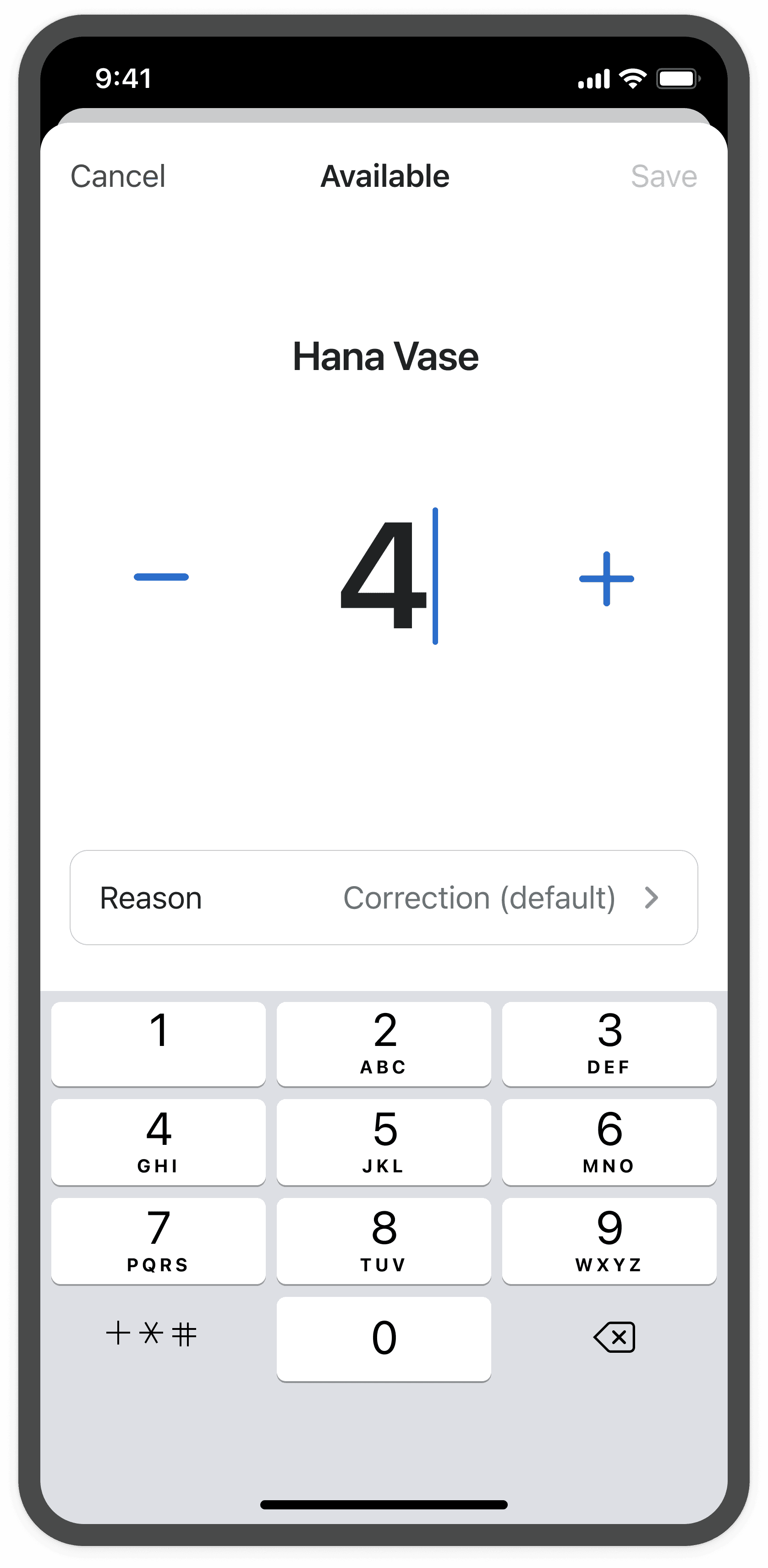
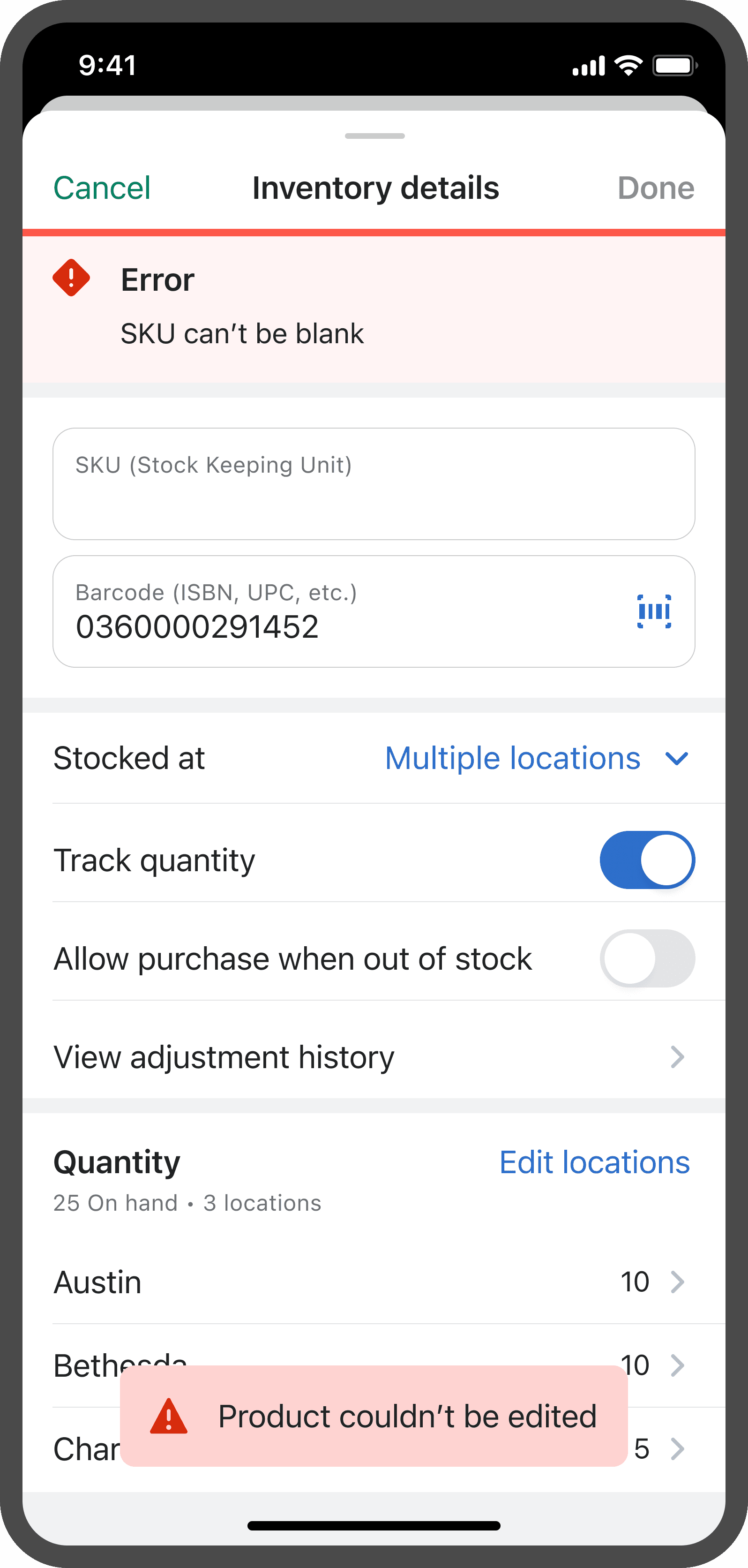
  1. Updated the Mobile UX

I updated the mobile UX design to enable accurate and seamless editing of inventory quantities. Below are examples of the updated UI we implemented.

Before

After

Before

After

Before

After

  1. Added popovers to educate merchants on new quantities

We designed educational popovers to help merchants onboard to the new inventory system. These popovers provided definitions for each inventory quantity in a clear, non-intrusive way, aligning with Shopify's focus on seamless and subtle onboarding.

  1. Added a column picker and filters to the inventory index

Merchant interviews revealed that not every inventory quantity was equally important to every business. To give merchants more control, we introduced a column picker and filtering options for the inventory index. These features allow merchants to customize their view, focusing on the quantities that matter most to their operations, creating a more flexible and tailored inventory management experience.

Design updates

  1. Added new inventory quantities

Previously, merchants could only track Available and Committed quantities at a location. While this approach was straightforward, it didn’t scale well for larger merchants and required frequent manual updates. To address this, we introduced two additional quantity types: Unavailable and On Hand, along with a new equation to streamline updates and improve inventory accuracy. Introducing these two new quantities enabled merchants to maintain more accurate inventory, perform stock counts, and track damaged items, safety stock, and quality control checks.

Before

After

Before

After

Before

After

Design updates

  1. Added new inventory quantities

Previously, merchants could only track Available and Committed quantities at a location. While this approach was straightforward, it didn’t scale well for larger merchants and required frequent manual updates. To address this, we introduced two additional quantity types: Unavailable and On Hand, along with a new equation to streamline updates and improve inventory accuracy. Introducing these two new quantities enabled merchants to maintain more accurate inventory, perform stock counts, and track damaged items, safety stock, and quality control checks.

Reflections and Takeaways

Designing for businesses of all sizes, from small retailers to large enterprises, was challenging but also a valuable learning experience. It reinforced the importance of creating solutions that are both flexible and scalable to meet the diverse needs of merchants. Overall, this was an exciting project because it reached 3 million merchants 🚀

Made with 💛 & 🍵

Made with 💛 & 🍵

Made with 💛 & 🍵